
Menü
Microbots
0
  • Machen
    • Erste Schritte
    • Maker-Builds
    • Ausbildung
  • Geschäft
    • ProtoBot
    • Wavelit Display
    • Maker-Module
    • Werkzeuge und Ausrüstung
    • Roboter & Displays
  • Um
    • Unsere Geschichte
    • Kontakt
    • FAQs
  • Einloggen
  • Deutsch
  • Ihr Warenkorb ist leer
Microbots
  • Machen
    • Erste Schritte
    • Maker-Builds
    • Ausbildung
  • Geschäft
    • ProtoBot
    • Wavelit Display
    • Maker-Module
    • Werkzeuge und Ausrüstung
    • Roboter & Displays
  • Um
    • Unsere Geschichte
    • Kontakt
    • FAQs
  • Sprache

  • 0 0

Debugging ProtoBot

This guide covers the most common issues you may encounter while setting up the ProtoBot Arduino Library and shows you how to get your robot up and running quickly.

Before You Start

  • Make sure the ProtoBot Library is installed and up to date in the Arduino IDE.
  • Update the ESP32 board package by Espressif Systems.
  • Use a USB-C cable that supports data transfer, not just charging.
  • Place ProtoBot in Charging Mode (eyes cycle red → yellow → green) before uploading code.

1. ProtoBot Not Showing Up in Arduino IDE

  • Unplug and reconnect ProtoBot.
  • Wait a few seconds for your computer to detect it.
  • Go to Tools > Port and look for a new serial port.
  • If no port appears, try another USB-C cable or USB port.
  • Ensure USB CDC On Boot is enabled in the Arduino IDE Tools menu.

2. Code Upload Fails

  • Select the correct board:
    • ESP32C6 Dev Module
  • Select the correct serial port under Tools > Port.
  • Enable USB CDC On Boot.
  • If the upload still fails:
    • Disconnect the battery and USB cable.
    • Wait a few seconds.
    • Reconnect the USB cable.
    • Try uploading again.

3. Serial Monitor Not Showing Data

  • Set the baud rate to 115200.
  • Confirm USB CDC On Boot is enabled.
  • Close and reopen the Serial Monitor after uploading.
  • Reconnect ProtoBot if needed.

4. ProtoBot LED Behavior

  • 🔵 Flashing Blue Eyes → USB Mode 
  • 🔴🟡🟢 Red-Yellow-Green Animation → Charging Mode
  • 🟢 Flashing Green → Full battery
  • 🔴 Flashing Red → Battery is low

5. Motors Not Moving

  • Ensure the battery is connected and charged.
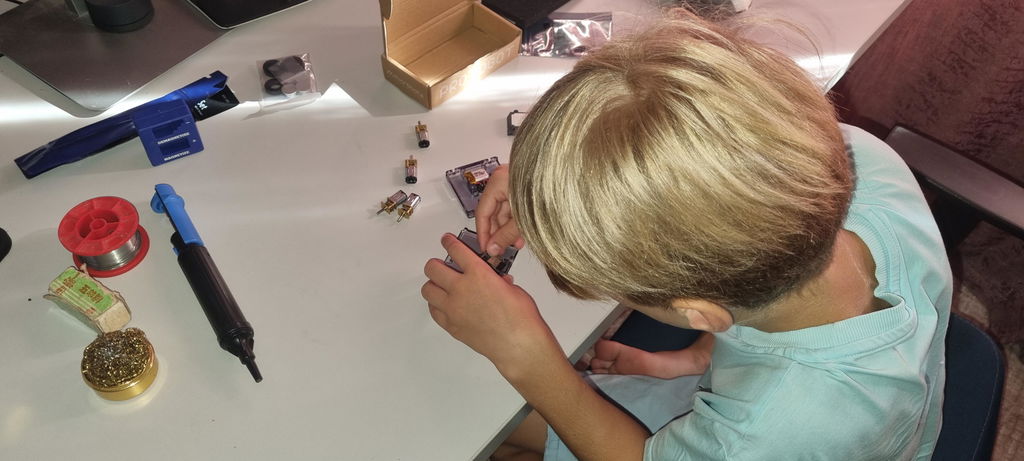
  • Verify the motors are correctlysoldered onto the Flex-PCB pins.
  • Make sure the robot is switched on.
  • Upload one of the ProtoBot example sketches (like the default example) to test motor control with the app.

6. Sensors Not Responding

  • Ensure the CodeCell C6 Drive initializes correctly.
  • Check the Serial Monitor for any startup errors.
  • Restart the board and try again.

7. Battery or Charging Issues

  • If ProtoBot does not turn on, charge it using USB-C for at least 15 minutes.
  • Check that the battery connector is fully inserted.
  • Try another USB cable and charger.

8. Restore Factory Firmware

  • Open the Arduino IDE.
  • Go to File > Examples > ProtoBot.
  • Open the default example sketch.
  • Upload it to restore the original firmware.

Still Having Trouble?

  • Restart the Arduino IDE.
  • Reconnect ProtoBot.
  • Reinstall the ProtoBot Library if necessary.

Final Tip

ProtoBot is powered by the CodeCell C6 Drive, so many troubleshooting steps are similar to other CodeCell-based projects.

If you're still stuck, visit the ProtoBot GitHub Issues page or contact us directly, we’re always happy to help you get your tiny robot moving.

  • Teilen:

Sozial

Github

  • Um
  • Software
  • Ausbildung
  • Kontakt
  • FAQs
  • Bedingungen
  • Rückerstattung-Politik
  • Datenschutzrichtlinie

Erfahren Sie als Erster von neuen Projekten und sichern Sie sich spannende Angebote!

© 2026 Microbots.

★ Reviews

Let customers speak for us

83 reviews
Write a review
87%
(72)
5%
(4)
2%
(2)
2%
(2)
4%
(3)
77
21
G
Experiment in Progress Mug
Gerald Kendrick

I am enjoying my Experiment in Progress coffee mug. It fits in well in the lab.

K
12-in-1 Screwdriver (Pen-Size)
Klaas

Very useful fun little screwdriver for the all tiny stuff

f
ProtoBot
frederic marty

I don't have much time right now to test the micro bot, but it looks good.

f
MotorCell
frederic marty

I don't have much time right now to test it but it looks good.

M
ProtoBot
Mehmed Muslija

ProtoBot has met all my expectations.
Watching one of the videos on YouTube, I thought it would be interesting and educational to make a small project for my 8 year old cousin. ProtoBot has provided a wide range of experiences and encouraged my cousin to take on new projects.
User picture
123