All-in-1 Tiny Robotic Brain

Miniaturized Robot-Building Made Easy

ARDUINO ESP32C6 LIPO CHARGER 9-AXIS MOTION IMU LIGHT/PROXIMITY DUAL DRIVER
CodeCell C6 Drive

| /

CodeCell C6 Drive adds motor-drivers, battery charging, 10+ sensor readings & a wireless ESP32C6 - All packed in one tiny module with an easy-to-use Arduino library! The result? Less wiring, smaller builds, cleaner robots
Accessories

CodeCell

+10 Sensory Readings

  • Light
  • Proximity
  • Rotation
  • Compass
  • Step Counter
  • Activity
  • Tap Detector
  • Accelerometer
  • Gyroscope
  • Move Detect

ESP32-C6 Core

  • 8MB Flash + 512KB SRAM
  • Wi-Fi 6 + BLE 5 + Zigbee
  • Easy-to-use Arduino Library
  • Connects to our MicroLink App

Power & Ports

  • Dual H-Bridge Motor Drivers
  • LiPo charging
  • Safe battery connector
  • USB-C for Serial UART
  • Arduino programming
Description & Specifications

The CodeCell C6 Drive is a compact, all-in-one robotics development module designed to act as the brain of small robotic projects. Like the standard CodeCell C6, it includes onboard battery charging, ambient-light and proximity sensing, and a BNO085 9-axis motion sensor. What makes the C6 Drive different is its built-in dual H-bridge drivers, which can dirently power and control compatible DC motors, buzzers, high-power LEDs and actuators without requiring a separate motor-driver board. This is the same module used inside our ProtoBot robotic platform, where it combines wireless control, onboard sensing and control of four geared DC motors.

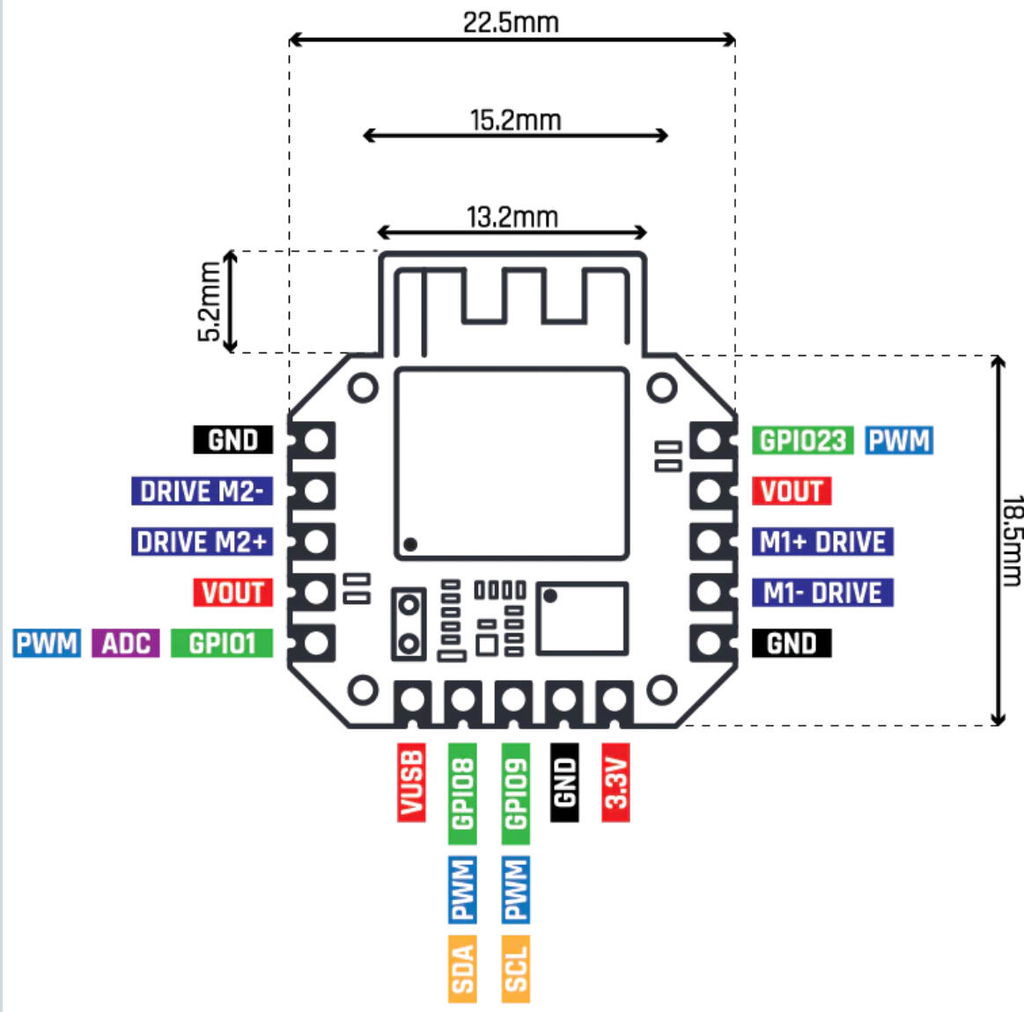
At just 22.5 mm long and 18.5 mm wide, it is powered by an Arduino-compatible ESP32-C6-MINI-1-H8 microcontroller with 8 MB of flash memory and 512 KB of SRAM. It supports Wi-Fi 6, Bluetooth Low Energy 5 and Zigbee, enabling wireless control through compatible platforms such as Home Assistant and the MicroLink app.

CodeCell C6 Drive electronic development module

The VCNL4040 provides ambient-light sensing and proximity detection at distances of up to approximately 20 cm. The BNO085 combines a 3-axis accelerometer, 3-axis gyroscope and 3-axis magnetometer with onboard sensor fusion. Together, these sensors can provide orientation, motion detection, activity classification, tap detection, step counting and linear acceleration, allowing robotic projects to sense and react to their environment.

The CodeCell.h Arduino library provides ready-to-use functions, tutorials and example projects. The CodeCell C6 Drive can also connect to the MicroLink app for wireless controls and real-time sensor feedback.

Each box includes one CodeCell C6 Drive, four M1.2 screws, an optional pin header and a 1.25 mm battery cable. The optional battery configuration also includes a 20 C 170 mAh, 3.7 V LiPo battery with a pre-fitted connector. This battery measures approximately 23 × 17.5 × 8.7 mm and weighs approximately 4.6 g. Its datasheet is available here. For low-power projects, the C6 Drive supports timer-based wake-up and interrupt-based wake-up from changes in light, proximity or detected taps.

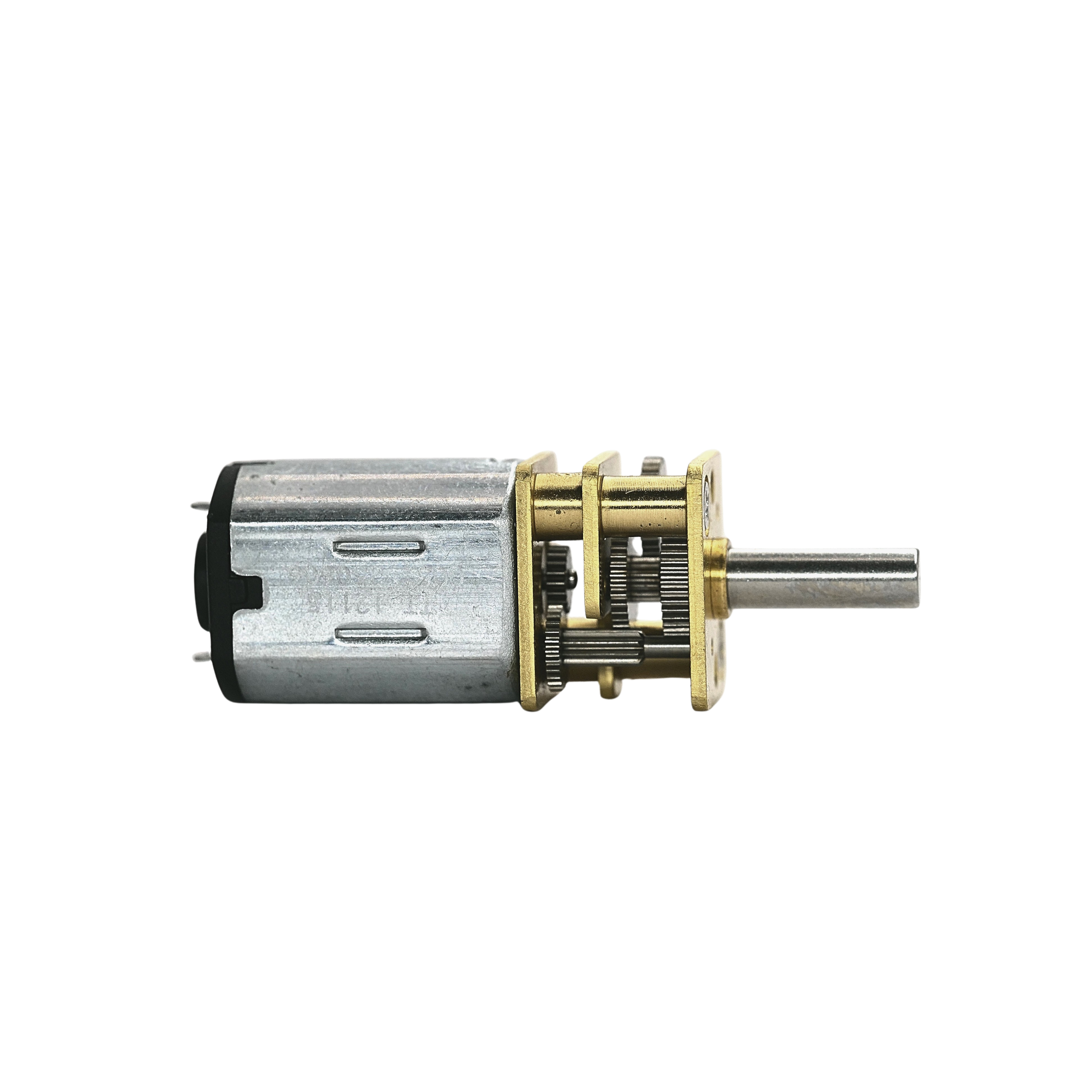
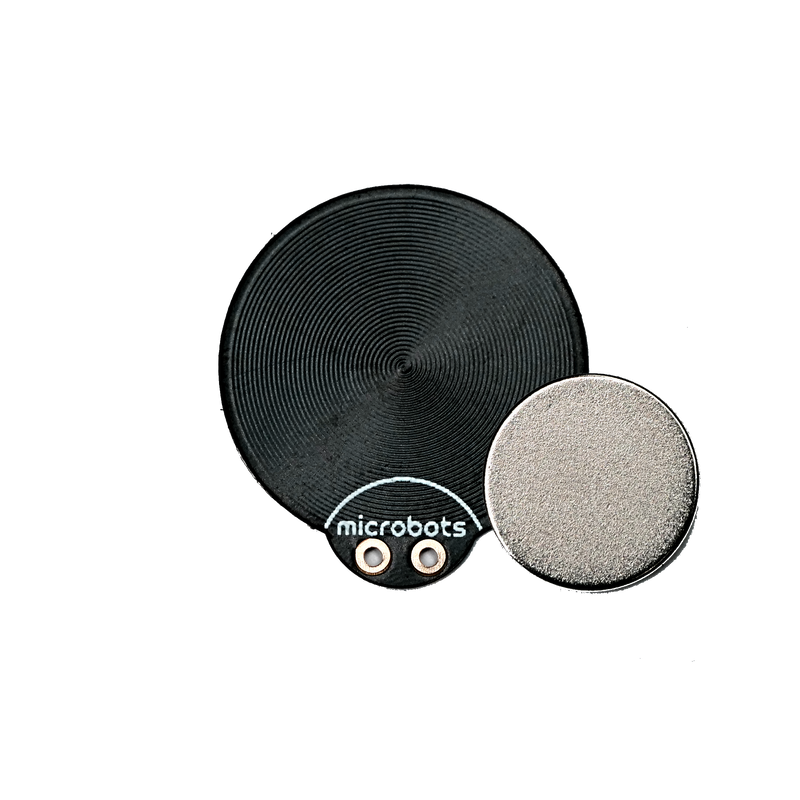
The onboard drivers can control compatible loads such as our ProtoBot N20 motors, FlatFlap, CoilPad, buzzers and other suitable low-voltage loads. Modules such as MotorCell and CoilCell already include their own onboard drivers and must not be connected directly to the C6 Drive’s H-bridge outputs. They should instead be controlled through their intended power and signal connections.

CodeCell C6 Drive Specifications:

CodeCell C6 Drive dimensions and pin layout
  • Electrical:
    • Processor: ESP32-C6-MINI-1-H8, 32-bit RISC-V single-core
    • Memory: 8 MB flash and 512 KB SRAM
    • Connectivity: Wi-Fi 6, Bluetooth Low Energy 5 and Zigbee
    • Maximum clock speed: 160 MHz
    • Sensors: Light/Proximity + 9-Axis IMU
    • Control Pins: 4 H-Bridge Outputs, 2 GPIO pins (reconfigurable to 1 ADC or 2 PWM) and I²C
    • Motor outputs: Two independent H-bridge driver channels with a maximum drive current up to 1,500 mA using one driver or approximately 750 mA per driver when using both simultaneously
    • Typical antenna range: Approximately 40 metres under suitable conditions
    • LiPo battery charging current: Approximately 90 mA
    • Maximum Module Current: 1,500 mA from a Battery or 450 mA from USB
    • RTC timer sleep current: Approximately 40 µA
    • Brightness or darkness wake-up: Approximately 290 µA
    • Proximity wake-up: Approximately 425 µA
    • Tap wake-up: Approximately 1,730 µA
  • Mechanical:
    • Dimensions: 9.4 mm H × 22.5 mm L × 18.5 mm W, plus 5.2 mm antenna section
    • Castellated pin pitch: 2.54 mm
    • Screws: M1.2, included
    • Weight: Approximately 3.7 g

CodeCell C6 Drive is an electronic development module intended for integration into prototypes and DIY electronic projects. It is not a finished standalone appliance or a toy. Supporting compliance records are maintained for the PCB assembly, specified components and supplied accessories. The designer or manufacturer of any completed product incorporating CodeCell C6 Drive is responsible for assessing that finished product against all applicable safety, radio, EMC, environmental and other regulatory requirements. For commercial product integration, please get in touch.

Schematics and 3D Model

Safety & Use
  • Power CodeCell through USB-C or a compatible single-cell 3.7 V rechargeable LiPo battery.
  • Check the battery connector polarity before connecting it. Reversed polarity may damage the module or battery.
  • Do not use a battery that is swollen, punctured, damaged, leaking or unusually hot.
  • Do not short-circuit, crush, puncture, disassemble or expose a LiPo battery to fire, excessive heat, liquids or conductive objects.
  • Charge the battery on a stable, non-flammable surface and do not leave it charging unattended.
  • Use a battery suitable for the module’s approximately 90 mA charging current and the expected current demand of your connected motors and actuators.
  • Do not exceed the electrical or driver-current limits shown in the specifications.
  • Motor startup and stall currents can be considerably higher than normal running current. Confirm the stall current of each connected motor before use.
  • Stalled or overloaded motors, actuators and driver components may become hot. Disconnect power if the module, wiring, battery or connected load becomes unusually hot.
  • Secure motors, actuators and moving mechanisms before applying power. Keep fingers, hair, loose clothing and wires away from moving parts.
  • Use suitable protection around wheels, gears, propellers or other rapidly moving components where contact or ejection could cause injury.
  • Disconnect power before soldering, modifying wiring or connecting external components.
  • Prevent exposed contacts from touching conductive surfaces. Use suitable insulation, strain relief and an enclosure where appropriate.
  • When possible, handle the module using appropriate electrostatic-discharge precautions and operate it in a dry environment.
  • The supplied screws, header and battery cable are small parts. Keep them away from young children.
  • Soldering should be performed in a ventilated area using suitable eye protection. Young makers should only use the product under responsible adult supervision.
  • Sensor readings and wireless connections must not be relied upon for medical, emergency, protective or other safety-critical functions.
  • CodeCell C6 Drive must not be connected directly to mains electricity.

CodeCell C6 Drive is a low-voltage electronic development module intended for DIY projects, prototyping and educational electronic projects. It is not a toy or a finished standalone appliance. When integrating CodeCell C6 Drive into a completed project, you are responsible for ensuring that the battery, power supply, wiring, connected loads, charging arrangement, moving parts, mounting and enclosure are safe and suitable for the intended use.

Frequently Asked Questions
How do I get started?

Tutorials and example projects are available on the CodeCell Tutorials page.

In the Arduino IDE, open Sketch → Include Library → Manage Libraries, search for “CodeCell” and install the latest version.

After installation, open File → Examples → CodeCell. We recommend starting with the GettingStarted example, which introduces the module’s main sensing functions.

What is the maximum drive current?

CodeCell C6 Drive contains two H-bridge driver channels. The available current is limited by the module’s power source and power-management circuitry.

When powered from a suitable LiPo battery, the combined available current is up to approximately 1,500 mA. This can be used through one driver or shared between both drivers, providing approximately 750 mA per channel when both are loaded equally.

When powered through USB, the available current is limited to approximately 450 mA. Motor startup and stall currents must also be considered when selecting connected motors or actuators.

How can it wake up from sleep?

CodeCell C6 Drive supports RTC-timer and interrupt-triggered wake-up options. Typical sleep currents are:

  • RTC timer: Approximately 40 µA
  • Proximity interrupt: Approximately 425 µA
  • Darkness interrupt: Approximately 290 µA
  • Brightness interrupt: Approximately 290 µA
  • Tap interrupt: Approximately 1,730 µA

Battery life depends on the battery condition, selected sleep mode, wake-up frequency, active operating time, wireless activity and all connected components.

A basic estimate can be calculated using:
Battery life (hours) = battery capacity (mAh) ÷ average current (mA)

For example, a 170 mAh battery using RTC-timer wake-up could theoretically provide approximately six months of standby time. Actual battery life will normally be lower because active operation, wireless communication and connected components must also be considered.

What ages is it suitable for?

CodeCell C6 Drive is an electronic development module designed for makers, students and engineers. It may require wiring or soldering and can control motors and other moving or heated components. Young makers should only use it under responsible adult supervision. The package also contains small parts that must be kept away from young children.

Does it support MicroPython?

The ESP32-C6 supports MicroPython. However, the official CodeCell library is written in C++ for the Arduino environment. MicroPython users may need to create or adapt drivers for the onboard sensors, motor drivers and other peripherals.

What about the BOOT pin?

CodeCell normally enters programming mode automatically through its USB serial interface, so dedicated BOOT and reset buttons are not required.

If a program causes the module to reset continuously, it can be placed manually into programming mode:

  • Disconnect USB power and switch off or disconnect the battery.
  • Connect the SCL pin to GND.
  • Reconnect USB power.
  • Upload corrected firmware.
  • Disconnect power and remove the connection between SCL and GND.
  • Reconnect power normally.
What information can the motion sensor provide?

The BNO085 combines a 3-axis accelerometer, gyroscope and magnetometer with onboard sensor-fusion processing. Depending on the selected operating mode, it can provide:

  • Orientation, including roll, pitch and yaw
  • Motion and stability classification
  • Activity classification
  • Acceleration and linear acceleration
  • Gyroscope and magnetometer readings
  • Gravity vector
  • Tap detection
  • Step counting
Manufacturer & Shipping Information

Orders are dispatched from Malta and are available for international shipping to supported destinations. Available shipping methods, estimated delivery times and shipping costs are displayed at checkout. Deliveries outside the European Union may be subject to local import duties, taxes or customs fees.

Orders containing the optional LiPo battery are subject to carrier, destination and dangerous-goods transport restrictions. Therefore, some shipping methods or destinations may not be available for the battery configuration.

Product: CodeCell C6 Drive
SKU: MB-MM-CD-11
Country of Origin: China
Manufacturer: Microbots Ltd.
Postal Address: Birzebbuga, Malta
Email: info@microbots.io

Projects

Hands-On Learning

Level up your skills with fun, beginner-friendly DIY projects in robotics, coding, and DIY making.

Get Inspired
App

Smart Control

Pair with the MicroLink app for Android & iOS to add a joystick, sliders, and buttons to your projects.

MicroLink
Libraries

Open-Source Software

CodeCell comes with Arduino library and easy-to-follow tutorial examples for fast prototyping.

Learn More

What's in the box?

Unbox, Power Up & Start Building

Exploring Other Options? See How the CodeCell Family Compares